Free AI Video Generator
Transform your ideas from text, photos, and videos into an AI short video for free with our AI Video Generator. Generate cinematic and animation short videos with audio synced for your TikTok, Instagram, and YouTube AI short videos from the best free AI HD video generator, AITWO.
Trusted by creators & teams worldwide
Videos Generated
Active Creators
User Rating
Languages Supported
Create Videos in Minutes, Not Days
Generating videos with this tool is a simple four-step process that allows you to turn any idea into a professional movie in minutes.
Prompt
Share your idea with the AI. Write a prompt or let AI generate one based on model capabilities. Add details like video length, target platform, and voiceover preferences.
Model Selection
Choose the AI model that will create your video. Access top-tier models including Veo 3.1, Grok, and ltx. Each model excels in realistic scenes and smooth camera movements.
Generate
Click Generate and watch the AI work its magic — writing scripts, generating visuals, and adding human-sounding voiceovers with background music in seconds.
Download
Make quick edits using simple text commands if needed. Export and download your final video in HD or stunning 4K resolution for professional results on any screen.
Built Different From the Rest
We don't just generate videos — we give you the creative power of an entire production studio, accessible from your browser.
Consistent Characters & Realistic Motion
Our tool ensures your characters look the same in every part of the video. Characters move just like real people, helping your AI story flow smoothly and feel real. No weird visuals or sudden changes — just professional, credible videos from start to finish.
Multiple Ways to Create
Start your video generation in many different ways. Type a simple prompt, upload a photo, or even use a video. Whether you want to turn text into video or make a picture come to life, the AI understands your vision and builds it for you.
High-Quality Output
As a professional HD video maker, we ensure every AI generated video, free of charge, meets studio standards. The AI automatically fixes lighting and tiny details to make everything look perfect. Your work will always look like it was made by a pro filmmaker.
The Most Advanced AI Video Maker - AITWO
Discover the powerful features that make AITWO the most advanced AI video maker available.
Features
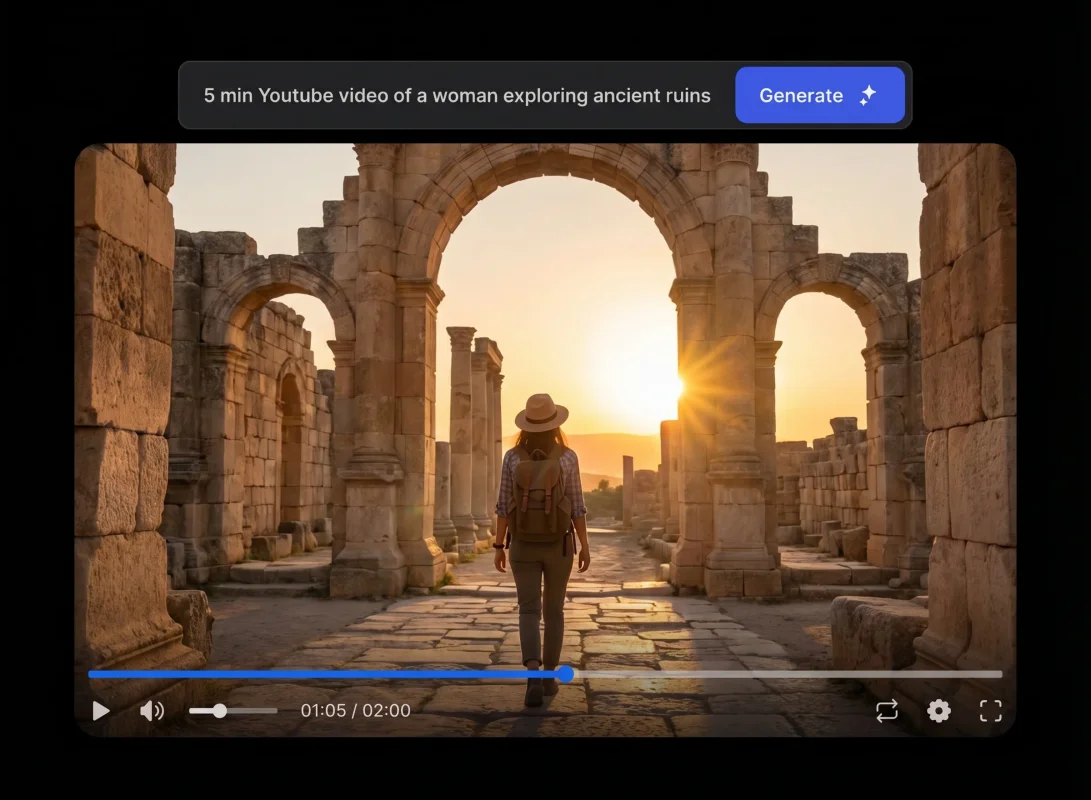
Top AI video models in one platform
Access the world's most advanced video generation models. Pick the perfect one for every project.
Sora by OpenAI
Most AdvancedSora generates highly detailed, realistic videos from simple text prompts. It's ideal for creators who want lifelike depth, smooth camera movement, and rich visual storytelling powered by state-of-the-art AI.
Made for Every Creator
From marketing campaigns to artistic expression — one tool for every creative need.
Marketing Ads
Product launches & campaigns
Social Media
TikTok, Reels & Shorts
Storytelling
Short films & narratives
Presentations
Dynamic business decks
Concept Art
Pre-viz & storyboarding
Music Videos
Artistic visual content
Loved by 300K+ Creators
Hear from creators, marketers, and filmmakers who've transformed their workflow.
The best tool for social media!
I've tried every AI short video generator out there, but AITWO is by far the best free AI video generator I've found. The AI video generator from text-free feature allows me to turn my scripts into viral clips instantly. It's a complete HD video maker that makes my AI-generated video free of watermarks and looking professional!
Incredible photo-to-video results
The photo-to-video AI technology here is mind-blowing. I used the Pic to Video AI tool to animate my brand photos, and the movement is so smooth. It's easily the best image to video ai on the market. If you need a reliable AI video generator from image to turn static images to video, this is it!
Professional quality for $0
I needed an AI-free video generator for my startup's mission statement, and AITWO delivered. The video effects AI are cinematic, and the platform functions as a high-end image-to-video maker. Being able to access a video generator AI free of charge with 4K export options is a total game-changer for small businesses.
So easy to use!
AITWO is the most intuitive AI video maker free platform I've ever used. Whether I'm using the AI video creator free tool for a quick project or the AI animation video generator for a detailed story, the results are always sharp. It's my favorite AI video free resource for turning a simple pic to video AI prompt into a masterpiece.
Ready to Create Your Next Masterpiece?
Join 300,000+ creators who produce stunning AI video content every day. No credit card needed — start generating in 30 seconds.
Frequently Asked Questions
Everything you need to know about our AI Video Generator.
Think of it as your personal creative partner. Instead of spending hours editing, you just give the tool your text, photos, or a rough script, and it handles the heavy lifting. It automatically picks the visuals, writes the script, and adds a voiceover to create a professional-looking video in seconds.
Not at all. Everything happens right in your web browser, so there's no bulky software to install or high-end computer required. Whether you're on a laptop or your phone, you can jump in and start using our ai video maker free platform wherever you have an internet connection.
Definitely. Every video you create is yours to use for commercial projects. Whether you're running social media ads, building a brand on TikTok, or creating training materials, our ai free video generator is built to help you look like a pro without the high production costs.
Each individual prompt generates a high-quality clip up to 15 seconds long. If you need to tell a longer story, don't worry—you can easily generate multiple scenes and stitch them together to create a full-length ai generated video free of any complexity.
Yes — our image-to-video feature lets you animate any still image. Upload a photo, describe the desired motion and camera movement, and our AI brings your image to life with smooth, natural animation that respects the original composition.
Videos are generated at up to 1080p (1920×1080) resolution in landscape, portrait, or square formats. Export options include MP4 (H.264), WebM (VP9), and animated GIF. 4K output is available on Pro plans with select models.
We aggregate the world's best AI video models — Sora, Hailuo, Pixverse, ByteDance Seed, and more — in one unified platform. Instead of being locked into one model, you pick the best one for each project. Our unified interface, batch generation, and API access save significant production time.
Still have questions? Contact our team
From Our Blog
Guides, comparisons, and tips to get the most out of AI video.
Kling motion control tutorial
Exact settings for cleaner movement and fewer glitches.
What is image to video AI
How photo animation works and where this mode wins.
What is text-to-video AI
How the tech works, which models exist, and when to use text input.
AI video for real estate listings
Turn listing photos into walkthrough clips without a film crew.
Explore More AI Tools
Explore our full suite of AI-powered creative tools built for professionals.
AI Image Generator
Create stunning images from text prompts
AI Presentation Maker
Generate professional slide decks
AI Infographic Maker
Design data-driven visual infographics
AI Voice Generator
Convert text to natural-sounding speech
AI Interior Design
Redesign rooms with AI visualization
AI House Design
Visualize stunning exterior designs
UGC Video Creator
Create UGC-style ad video content
Graphic Designer
AI-powered professional graphic design