Upload a porch photo, choose a design tool, set style preferences, and the AI generates a remodel concept on your space in seconds.
Design Your with Porch Design AI
Design your porch space interior with AI Porch Design. From layouts to furniture arrangements, our AI-powered tools bring your dream porch to life.
2785749+ designs generated
Trusted by Professionals from World-Class Companies









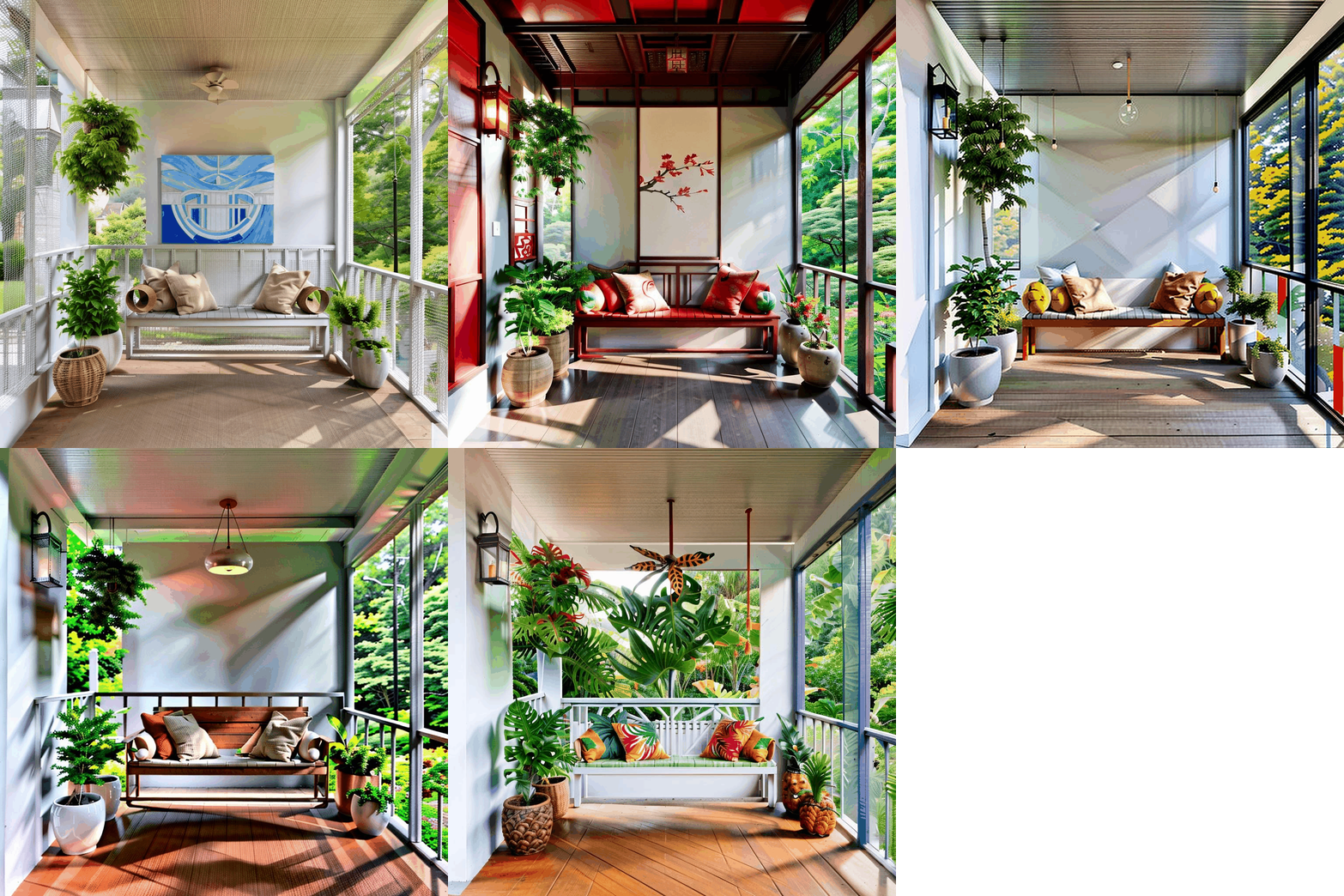
Tools
Tools of AI Porch Design
AI Porch Design
Start NowAI Porch Design - Floor
AI Porch Design - Walls
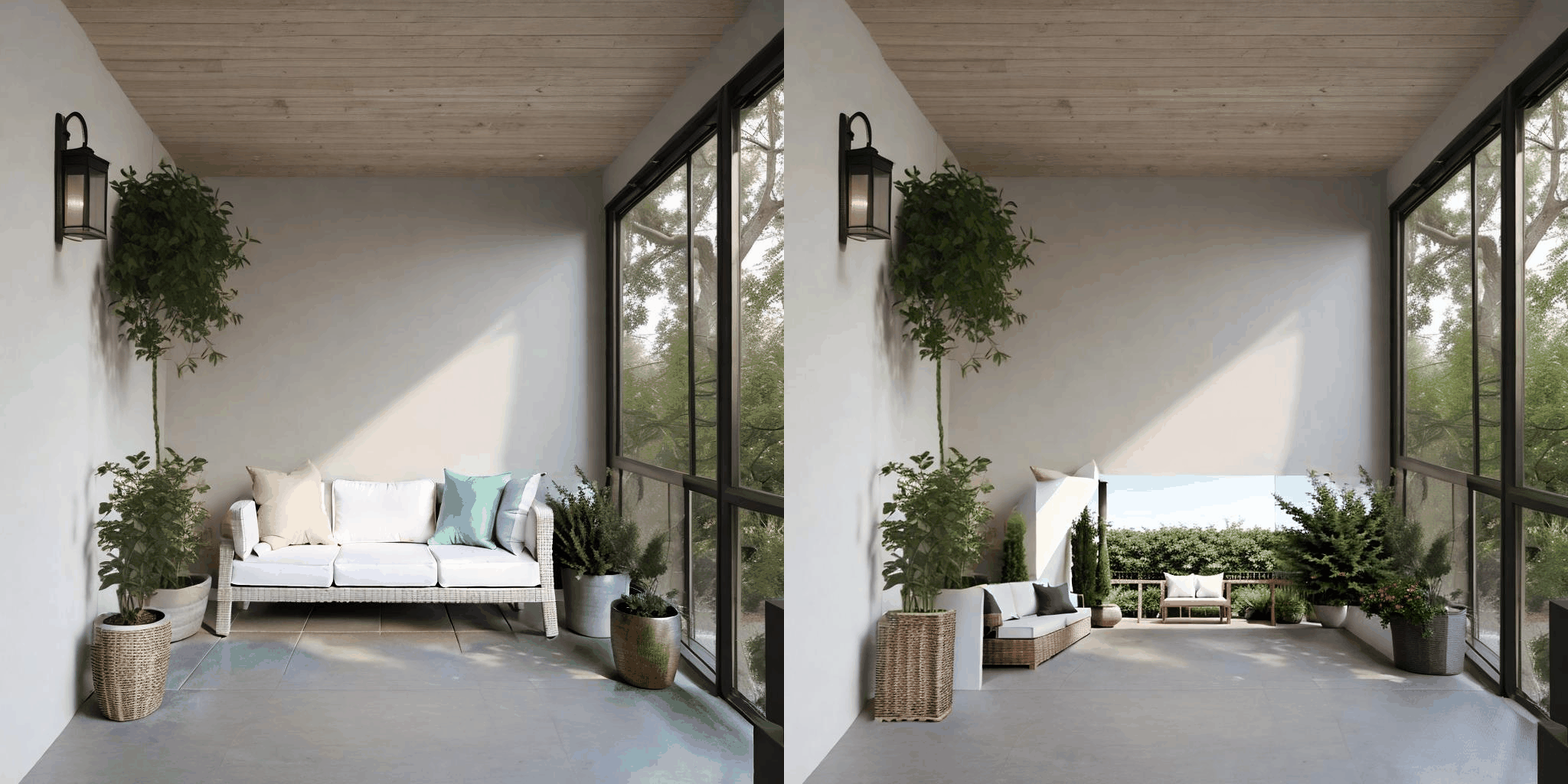
AI Porch Design - Virtual Staging
Start NowBefore / After
Real rooms, redesigned in seconds
Drag the slider on each image to see what changed. Every preview keeps your real room proportions, so the layout you see is the layout you get. No mockup rooms, no fake walls.
Drag to compare
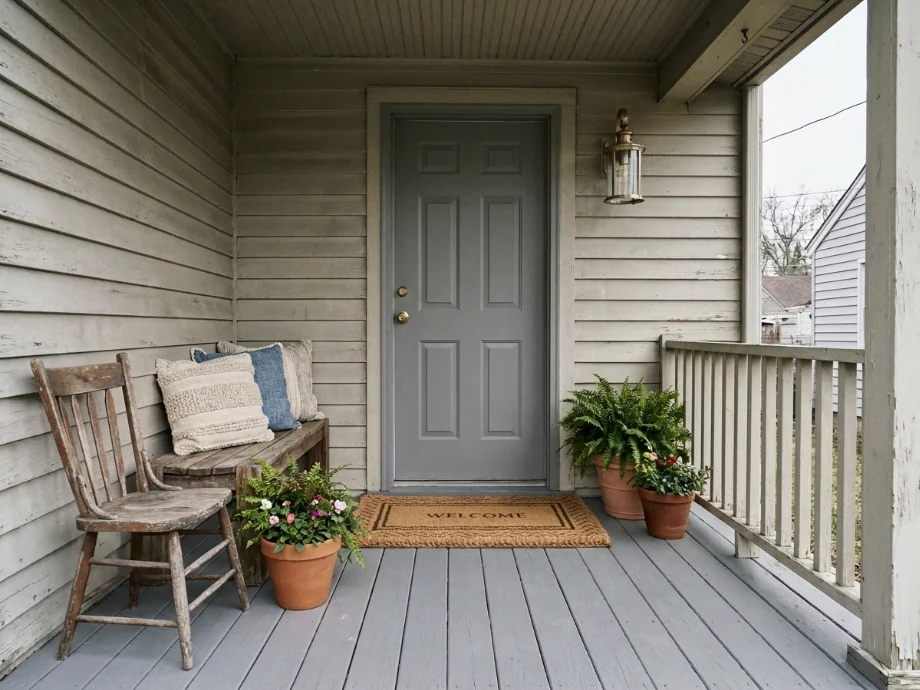
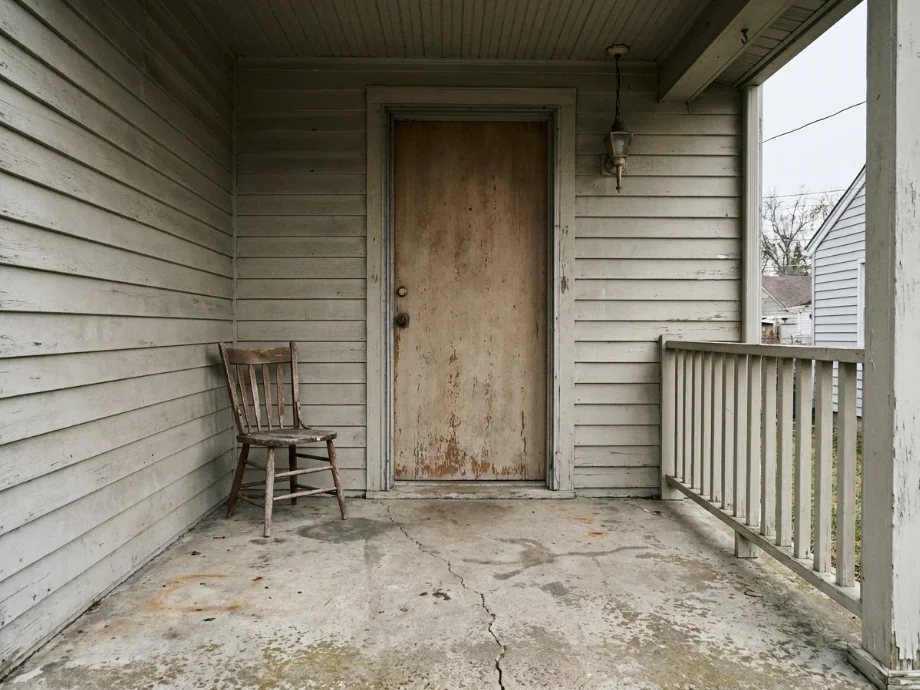
01
Front porch restyled with a bench, planters, and a warm welcome mat.
Door swing kept clear. Seating grouped for a quick chat spot.
- Wood bench added against the wall with weather resistant cushions.
- Pair of planters flanking the front door with boxwood shrubs.
- Welcome mat swapped for a coir version with a subtle border.
- Wall sconce added for evening light at the entry.
After on right
Drag to compare
02
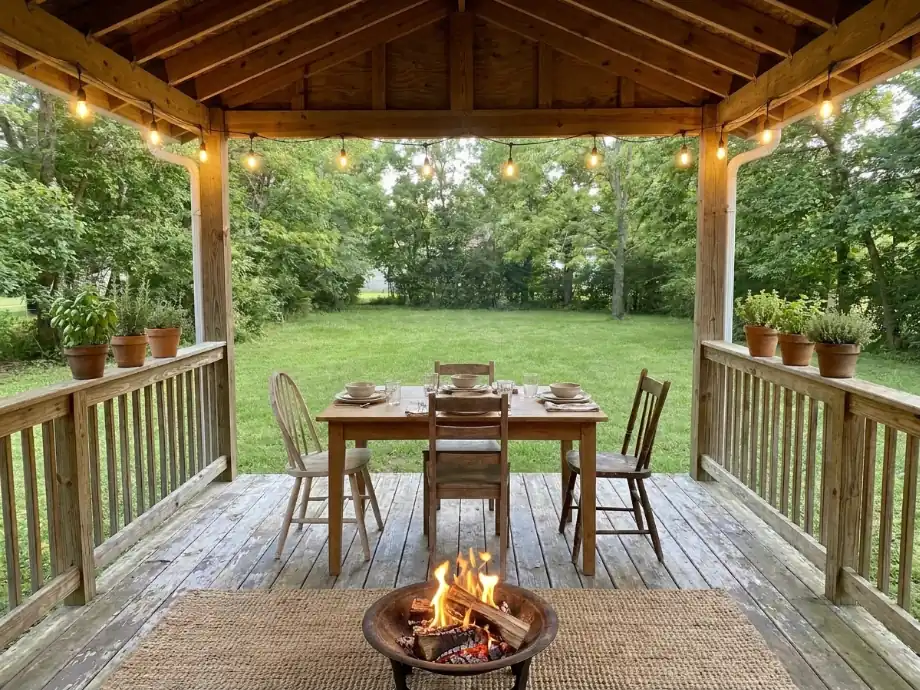
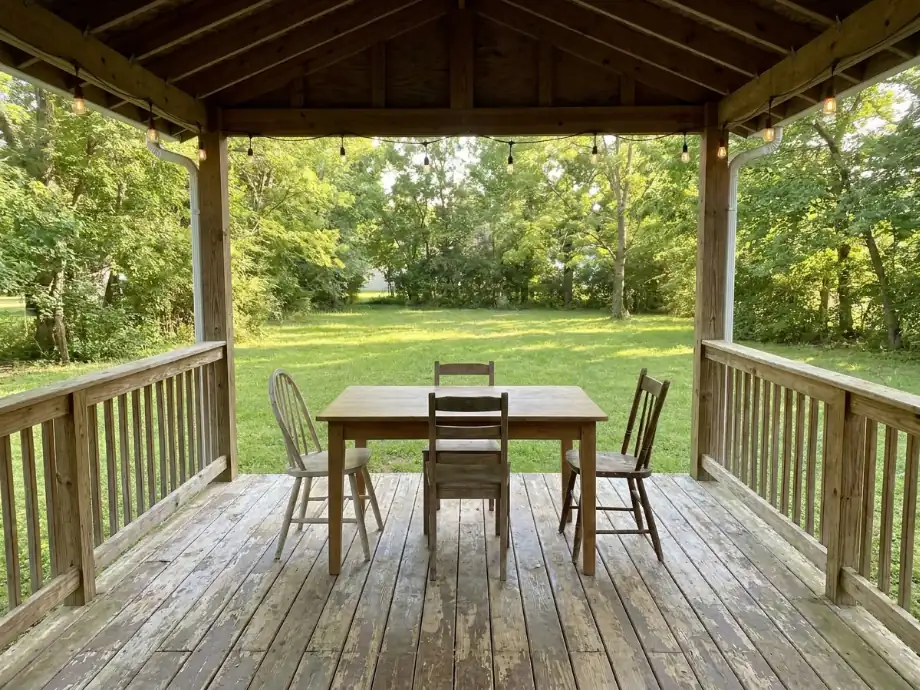
Back porch upgraded with a dining set, string lights, and a small fire pit.
Same footprint. Layout tested for four-person dinners.
- Bistro table and chairs added for four person dinners.
- String lights hung across the porch for evening glow.
- Small fire pit added at the edge for cool nights.
- Outdoor rug placed under the table to anchor the zone.
After on left
Drag to compare
03
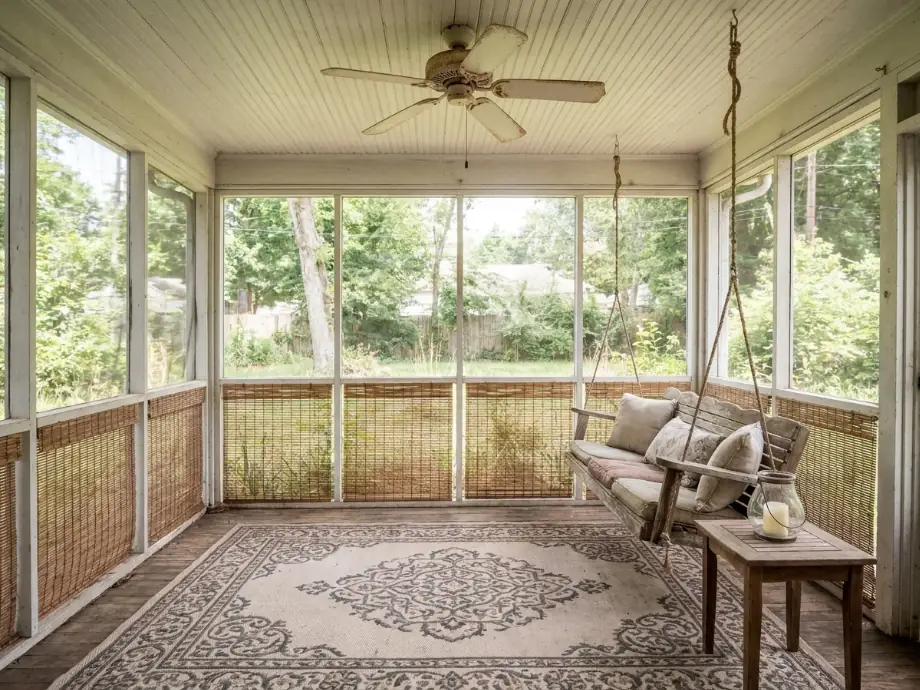
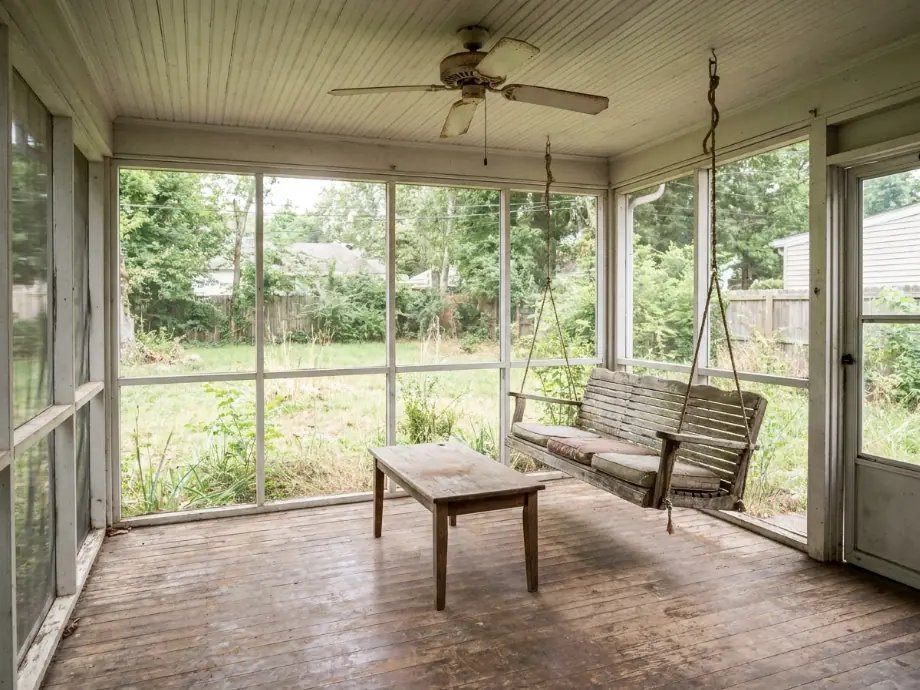
Screened porch refreshed with a hanging swing, a ceiling fan, and outdoor rugs.
Same shell. Furniture and surfaces updated for bug-free lounging.
- Hanging swing added at one end for two person lounging.
- Ceiling fan installed to move air on warm evenings.
- Outdoor rug layered over the wood floor for softness.
- Side table added to hold drinks and a book.
After on right
Your room could be the next slider
Upload one photo, type a short brief, and get a redesign in seconds. Test three or four directions on the same image before you buy a single piece of furniture.
Upload a porch photo and redesign seating, railing, and lighting with AI in seconds. Test furniture placement and decor ideas before you buy anything.
Trusted by over 306,000 users in more than 190 countries.
How to use
How to use free AI porch design
Most people start with a photo from their current porch. You pick a style direction, run the design tool, and see new seating, railing, and lighting ideas on your real space.
When I tested a small front porch with a bench brief, the door swing still looked clear. That matters when you are deciding if a pair of chairs fits.
1
Upload a porch photo
Capture the railing and the front door. Daylight photos show flooring and siding color clearly. JPG, PNG, or WebP under 10MB.
2
Choose design, floor, or wall tools
Restyle the whole porch, swap decking, or test railing treatments from the tool cards on this page.
3
Generate and iterate
Download concepts for furniture shopping or contractor quotes. Run multiple styles on the same photo to compare farmhouse, modern, and cozy directions.
What you get
What AI porch remodel previews include
Outputs are visual concepts, not construction drawings. They still help you align on seating size, railing style, and lighting placement before buying materials.
1
Seating and railing zones
Test bench size, chair placement, and planter position on your existing footprint.
2
Lighting and color mood
Preview sconce scale, siding color, and rug position that fit your porch size.
Who uses this
Who uses AI porch design tools
🏠
Homeowners
✓Plan porch refreshes before buying furniture.
✓Compare paint colors without ordering sample pots for every option.
💡
DIY builders
✓Test railing styles before buying materials.
✓Visualize a seating layout before building a bench.
🏢
Interior designers
✓Speed up client mood boards with photo based concepts.
✓Present two seating layouts in one meeting.
Styles to try
Porch styles you can test on your photo
Run the same photo with different briefs to see which direction fits your porch and your taste. Five styles tend to work well for porches.
| Style | What it looks like |
|---|---|
| Farmhouse | A wood bench, a slipcovered chair, a woven rug, and a galvanized planter. |
| Modern minimalist | A metal bench, white railing, a single sconce, and a neutral mat. |
| Cozy cottage | A wicker chair, layered cushions, a hanging lantern, and a soft rug. |
| Southern traditional | A rocking chair pair, a ceiling fan, a haint blue ceiling, and a jute rug. |
| Boho | A rattan chair, a macrame plant hanger, layered textiles, and warm earth tones. |
Next steps
From AI preview to real porch
Once you have a concept you like, the next step is turning it into a real plan. Download the image and write down the seating size, railing type, and lighting style the AI used.
Bring the image and your notes to a hardware store or furniture shop. They can tell you which materials handle weather and which need sealing. Most outdoor furniture uses teak, aluminum, or poly lumber, so a layout that looks perfect in the preview should fit your porch if your measurements match.
1
Check your measurements
Measure your door swing, railing, and floor space before you commit. A bench needs at least 24 inches of clearance from the door for walking.
2
Pick weather resistant materials early
Choose outdoor rated fabrics and sealed wood for any seating. Indoor materials break down in 6 to 12 months of sun and rain.
FAQ
Frequently asked questions
Quick answers before you start
AI Porch Design
Design your porch space interior with AI Porch Design. From layouts to furniture arrangements, our AI-powered tools bring your dream porch to life.
Related
Beta Pages
Products
AI Two Websites
© Copyright 2025, All Rights Reserved by AI Two