Yes — you get free AI landscape design credits when you sign up, no credit card required. Upload a photo of your yard, garden, or backyard, pick a mode and style, and get a photorealistic landscape visualization in about 30 seconds. Paid plans unlock more designs, higher resolution outputs, and priority generation.
AI Landscape Design Free
AI Landscape Design Free is a free AI tool. Free AI landscape design from a photo of your yard. Garden, backyard, front yard, pool and patio modes render a photorealistic redesign in about 30 seconds.
Free to try · first generation free on signup · no credit card
1
Step 1
Upload Image
Start by uploading image
Upload your image
Click to browse or drag & drop
2
Step 2
Select Mode
Choose your transformation style
Completely transform your backyard — outdoor living, pools, gardens and more
Output quality:
Mode
Backyard Makeover AI
Your AI Design Will Appear Here
Fill in the options on the left, then press Generate.
I can edit images with your instructions. Estimated credits: 2.5.
Attach an image, video or voice clip, then tell the AI what to do with it.
Upload your image
Drag & drop your file here or click to browse
JPG, PNG, WebP
Max 10MB
AI Ready
Popular in Home Design Studio
Paint My House AIExterior House Paint AIAI Kitchen DesignAI Bathroom DesignAI Bedroom DesignFree AI Architecture GeneratorAI Interior Design From a PhotoHome Color Combination AIAI Curb Appeal RaterAI Interior Design RaterAI House Style IdentifierAI Renovation Cost EstimatorAI Day to Dusk Photo EditingAI Declutter Room PhotosAI Home Addition VisualizerAI Home Design Tools Compared
Quick facts about AI Landscape Design Free
- Tool nameAI Landscape Design Free
- CategoryHome Design
- PriceFree to try
- InputPhoto upload
- OutputAI-generated image
Before / After
Example results

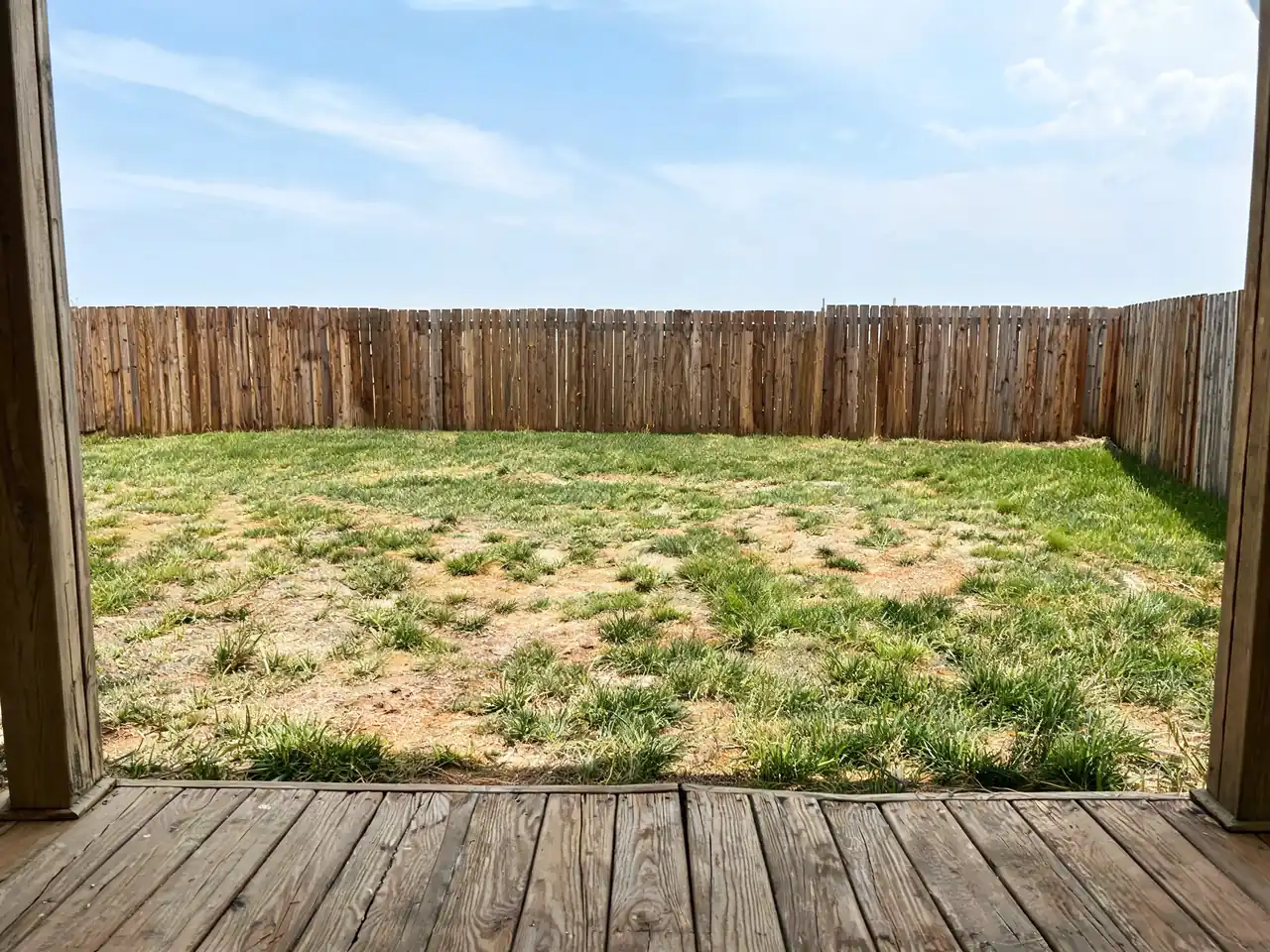
Drag to compare


Drag to compare


Drag to compare
Real, unretouched output from this tool. Drag any slider to compare.
Free AI landscape design on a photo of your own yard — garden, backyard, front yard, pool and patio directions rendered on the space you actually have. Gardens are the one part of a property where a mistake takes three years to become obvious; seeing it first costs nothing.
Free to try · results in about 30 seconds · no credit card
AI landscape design from a photo of your yard
The tool works from the photograph of the garden you already have. It reads the boundaries, the ground plane, the position of the house, the existing trees and the direction of the light, then re-renders planting, hardscaping, lawn, paths and features inside that same space. The fence stays where the fence is, and the mature tree you are not removing stays in the render.
That is what makes it different from browsing garden photographs. A picture of a beautiful garden tells you what you like. A render of your garden tells you whether that idea survives contact with a plot that is narrower than it is long, overlooked on one side, and shaded by next door's sycamore until two in the afternoon.
Nothing needs measuring and nothing needs modelling. A phone photo taken from the back door or from the pavement is enough to start, and both views are worth doing — a garden that works from the house often reads completely differently from the street, and the street view is the one that carries curb appeal.
AI garden design: where a render can quietly mislead you
This deserves stating plainly, because it is the one place where a beautiful garden render can cost you real money. The image shows the garden at its best: mature planting, everything in flower at once, in the season the model chose. Real planting arrives small, flowers in sequence rather than simultaneously, and looks like the render in year three at the earliest.
It also shows plants without checking whether they will live where you live. The model has no idea about your hardiness zone, your rainfall, your soil pH, whether that bed is in full shade, or whether the species it drew is invasive in your region — and in some places planting the wrong thing is not merely a waste of money but actually prohibited.
The way to use it well is to treat the render as a description of structure and mood rather than a plant list. What it is genuinely reliable about is the shape of the space: where the beds should go, how wide the path wants to be, whether the seating belongs at the end or against the house, how much lawn is worth keeping, where a screen would help. Those are the decisions that are expensive to reverse, and they are exactly what a photograph of somebody else's garden cannot answer.
Take the image to a local nursery or a landscaper and ask them to substitute species that suit your conditions and give the same effect. That conversation is far quicker with a picture than with adjectives, and it is where the real value of the render actually lands.
Backyard design: hardscaping, structures and the things that cost the most
The expensive parts of a garden are rarely the plants. Paving, retaining, decking, a driveway, a fence run or a pool are where the budget goes, and they are the elements you cannot adjust once they are in. They are also the elements a render handles most reliably, because they are geometry rather than biology.
Each has a dedicated tool alongside this one. Deck and Patio Design tests decking and paving layouts against the actual back of your house. Driveway Design previews pavers, concrete and stone on your real frontage. Fence Design runs styles and materials along your actual boundary, which is the quickest way to discover that the fence you liked online makes a small garden feel like a corridor. Pool Design places a pool in the yard you actually have, at a scale that shows you honestly how much garden is left afterwards.
A sensible order is structure first, planting second: settle the paving, levels, boundaries and built elements, then design the planting around them. Doing it the other way is how people end up moving a new path eighteen months later.
Curb appeal, and gardens for a listing
For a sale, the front garden is doing a disproportionate amount of work. It is in the first photograph, it is what a buyer sees while waiting at the door, and it sets the expectation for everything inside. It is also usually the cheapest thing on the property to improve materially.
The Curb Appeal Rater scores the front of a property from a photo and lists the fixes in priority order, and its answers are often unglamorous — clear the path, cut back what is swallowing the windows, sort the bins, repaint the door. Those beat a full redesign on return per pound with some regularity.
If the photograph itself is the problem rather than the garden, the editing tools handle it: Object Remover takes out the bins, the hose and the neighbour's van, and Day to Dusk converts the hero shot to twilight, which is the single highest-impact edit available on an exterior listing image. As always, digitally enhanced listing photos should be disclosed, and the line is the same as everywhere else on this site — change the light and remove the clutter, do not remove defects or alter what the property actually is.
🏡
AI Landscape Design Free
Upload your imageTap anywhere here — your AI design will appear in this space after you generate.JPG · PNG · WebP
Completely transform your backyard — outdoor living, pools, gardens and more
Output quality:
Frequently Asked Questions
No — and this is the #1 thing we get right that many other tools get wrong. Every design mode has strict structural preservation built into the AI instructions: your roof, siding color, windows, doors, garage, and ALL architectural details stay pixel-perfect identical to your photo. Only the landscaping, plants, and outdoor living areas change.
AI landscape design uses artificial intelligence to transform a real photo of your outdoor space into a photorealistic landscape visualization. Upload a photo, choose your design mode and style, select features — and the AI landscape generator renders your yard transformed in about 30 seconds. It respects your existing terrain, structures, and lighting conditions to produce realistic, achievable designs you can show to a landscaper.
Yes — we have 10 specialized design modes for different spaces and situations. "Backyard Makeover AI" for full outdoor living transformations. "Front Yard & Curb Appeal" for street-facing designs. "Small Yard & Balcony" for compact spaces and apartments. "Sloped & Hillside Yard" specifically for terraced or sloped properties. Each mode is optimized for its space type.
Yes — use the "Sloped & Hillside Yard" mode. It's designed specifically for terraced properties, hillside gardens, and sloped backyards. The AI respects the terrain grade visible in your photo (never flattening it) and designs terracing solutions, retaining walls, steps, and slope-appropriate planting that works with your natural grade rather than against it.
Yes — use the "Pool & Spa Design" mode. Choose pool type (in-ground, infinity edge, plunge pool, lap pool), shape, water color, coping material, deck surface, and surrounding landscaping. The AI places the pool at the correct terrain grade for your actual yard — it will not float above the ground or look impossibly placed.
The "Small Yard & Balcony" mode (1 credit) is designed specifically for compact spaces — small urban backyards, apartment balconies, narrow side passages, and tiny courtyards. It uses vertical wall space with living walls and climbing plants, selects compact-scale furniture, and chooses container-appropriate plants sized to the space.
Our instruction templates include specific height directives for every plant type — shrubs at 0.5–1.5m, ornamental grasses at 0.6–1.2m, small trees at 2–4m, large trees at 5m+. This means the AI generates plants at realistic, believable sizes rather than the oversized shrubs or toy-tiny trees that are common complaints with other AI landscape tools.
Yes — use the "Seasonal Transformation" mode to visualize peak spring bloom, lush summer, golden autumn, or winter. The AI adjusts plant foliage, ground conditions, sky color, and light quality to make the season unmistakably recognizable. Great for planning year-round interest and seeing how a design performs across all four seasons before committing.
Best practice: (1) Use a clear, well-lit daytime photo showing the full outdoor area including any boundaries and the house wall. (2) Choose the design mode that matches your goal. (3) Be specific in your style and feature selections. (4) Include existing structures — fences, walls, paths — in frame so the AI preserves them. Minimum 1024×768 pixels for sharp, detailed output.
That's exactly what it's designed for. Every design mode targets "magazine-quality professional photography" and "contractor design brief" quality. Our photorealism directives specify DSLR-quality output with accurate material textures, correct plant scale, and realistic lighting. Thousands of users have shared their AI designs with landscapers to get quotes and communicate design intent.
Yes — the "Drought-Resistant Xeriscape" mode includes a climate zone selector (hot desert, mediterranean, semi-arid, coastal dry) and uses named drought-tolerant species like agave, palo verde, lavender, manzanita, california poppies, and stipa grasses — correctly sized and spaced for each climate. The AI is instructed to make planting look appropriate for the selected climate, not like a lush wet garden in a desert setting.